Toolbar & Utilities
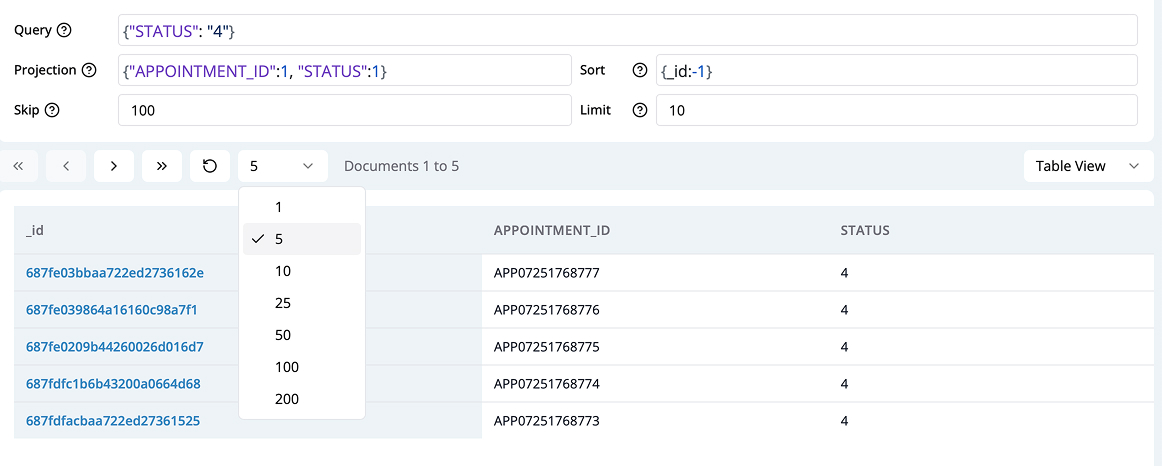
Query, Projection, and Data Controls
- Query Editor : Write MongoDB queries to filter documents.
- Projection : Specify which fields to return.
- Sort : Define sorting order.
- Limit/Skip : Paginate results using limit and skip.
- Pagination Controls : Browse through large result sets.
Data Filtering and Visual Query Builder
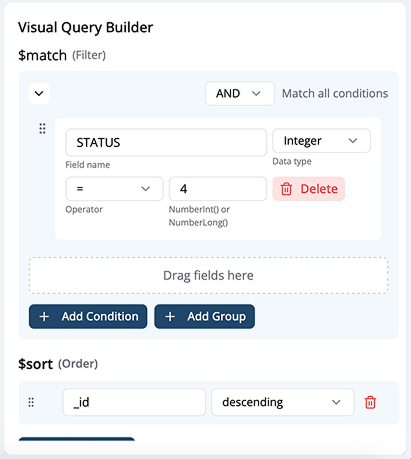
- Manual Filtering : Write custom queries in the query editor.
- Visual Query Builder :
- Select fields and operators (>, <, >=, <=, ==, !=, in, not in)
- Set projections, sorting, limits, and skips via GUI.
Saving and Loading Queries
- Save Query :
- As a file locally
- In the cloud (if enabled)
- Load Query :
- From local file
- From cloud storage
- Query History : View and reuse previous queries.
Data Export & Reporting
- Export Results in Code :
- Convert query to Python, Node.js, Java, C#, Go, Rust, etc.
- Option to include import statements and driver code.
- Export Data :
- Export filtered results to JSON, CSV, Excel, etc. (in Export tab).
- Build Reports (Desktop Only) :
- Visualize data as tables, bar charts, etc. (currently desktop app feature).
AI-Powered Query Generation
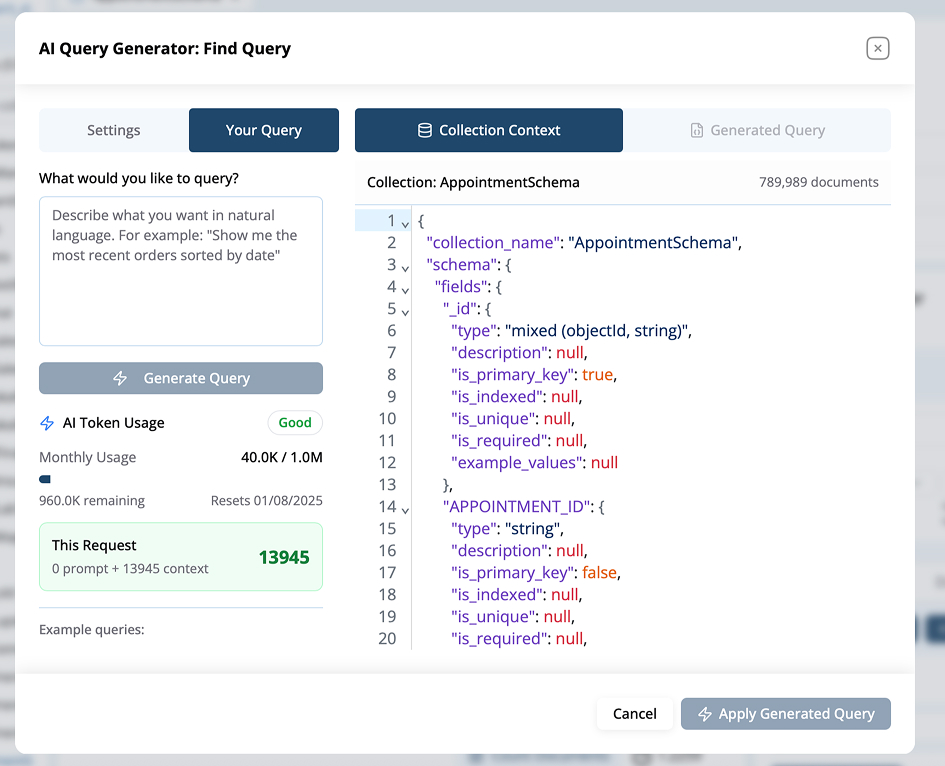
- Use the AI Query Generator to:
- Write queries using natural language (e.g., “Show all orders after Jan 1st”)
- See schema context for the current collection
- Generate and apply queries automatically
Additional Features
- View Collection Info : Hover for stats (count, size, indexes, etc.).
- Count Documents : Click the counter to see the total in collection.
- Integration : Quick navigation to MShell, Aggregation, and SQL modules.
Summary
The MongoQUI Collection View offers a complete toolbox for MongoDB document management, including advanced filtering, AI-driven queries, flexible exports, and context-aware actions for any user, from beginner to power user.