Aggregation Section
MongoQUI provides a powerful Aggregation section to build, run, and analyze MongoDB aggregation pipelines with a visual and interactive interface.
Pipeline Builder
The Pipeline Builder is the core area where you visually construct aggregation pipelines, step by step.
-
Add Stages:
- Use the
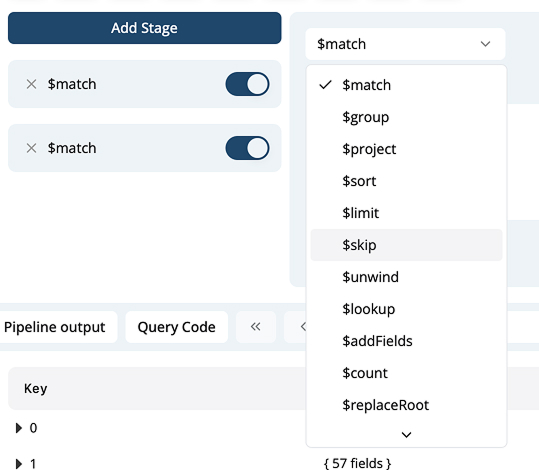
Add Stagebutton to append new aggregation stages. - Select a stage type from the dropdown (e.g.,
$match,$group,$project,$unwind,$sort, etc.). - For each stage, enter the relevant query/document for the stage.
- Use the
-
Enable/Disable Stages:
- Each stage has a toggle switch. Disable/enable a specific stage to test different pipeline combinations without deleting steps.
-
Show Example:
- For any aggregation stage, you can view a built-in example by clicking the Show Example option. This helps understand syntax or get started with new stages.
-
Drag and Reorder:
- (If supported in your version) You can drag to rearrange pipeline stages, changing their execution order.
Screenshot Example:
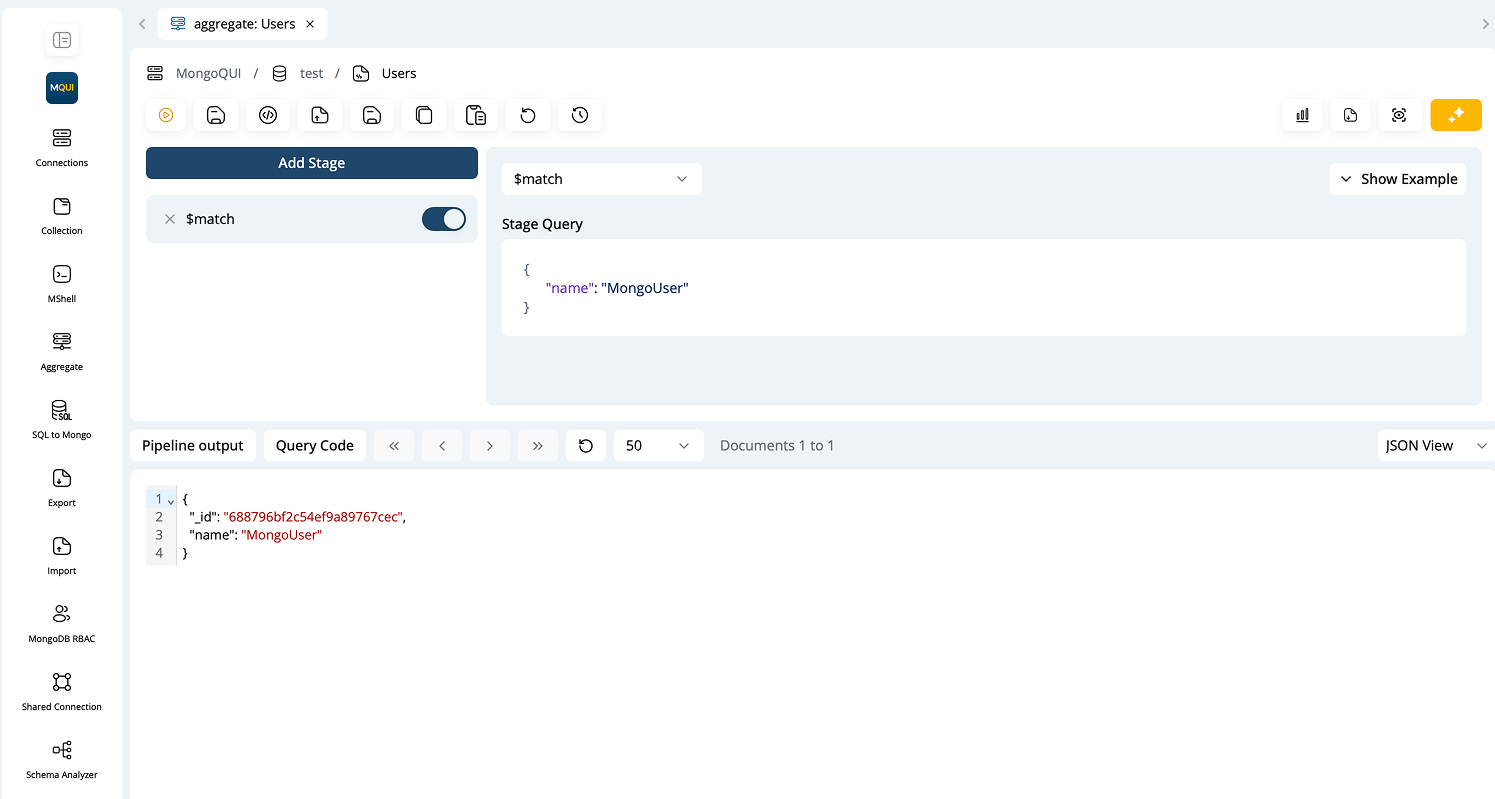
Stage Type Dropdown: