SQL to Mongo - Schema Auto-complete
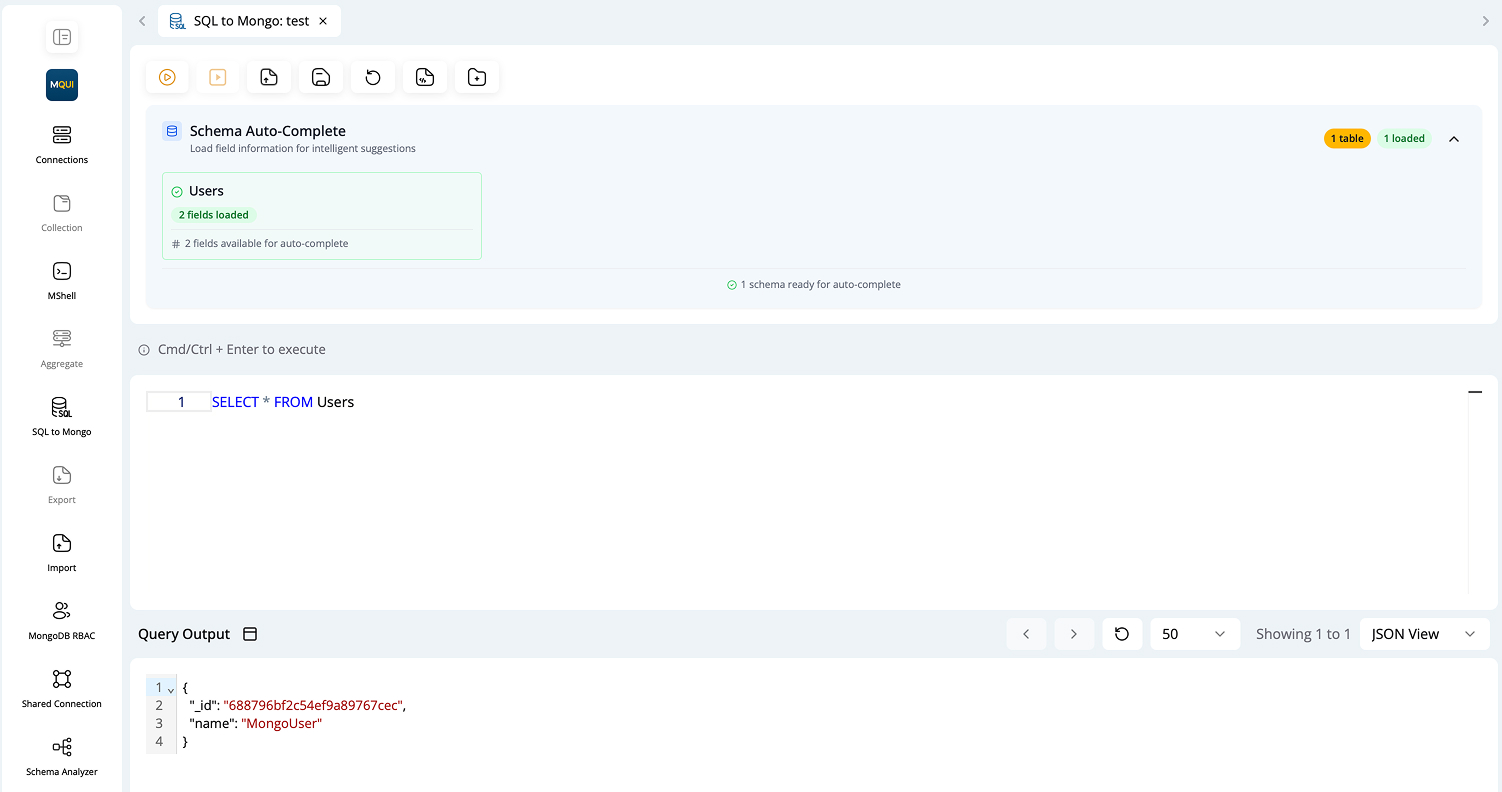
Schema Auto-complete
The Schema Auto-complete feature helps you write queries faster and with fewer errors by suggesting available collection fields.
- Auto-load Field Information: Click "Click to load" to fetch fields from your selected collection.
- Intelligent Suggestions: Once loaded, fields and types are auto-suggested as you type your SQL queries.
- Works with Table Aliases: Suggestions respect aliases and table references.
- Supports WHERE, GROUP BY, ORDER BY, etc.: Easily add fields to all SQL clauses.
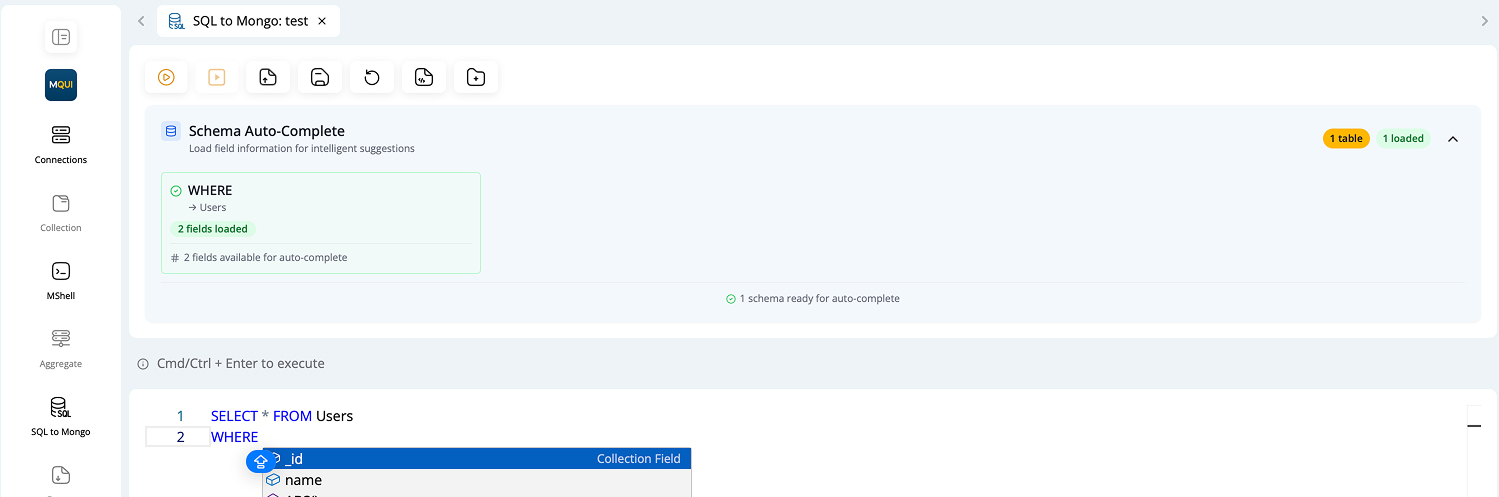
Example:
SELECT * FROM users
Translation and Execution
SQL queries are automatically translated to MongoDB queries, and you can view the translation.
-
Instant Translation: See the equivalent MongoDB shell command for your SQL query.
-
Copy to Clipboard: Copy the generated MongoDB command for use elsewhere.
-
Accurate Conversion: Most SQL features (joins, aggregates, filters) are mapped to MongoDB aggregations or find queries.
-
Error Feedback: Warnings are shown if your query uses unsupported features or needs adjustments for MongoDB.
SELECT * FROM AppointmentSchema WHERE STATUS = '4'

db.AppointmentSchema.aggregate([
  { $match: { "STATUS": "4" } }
])
Query Output
The Query Output section displays the results of your executed SQL queries.
Features:
- Flexible View Modes: View results as a table, JSON, or tree structure.
- Document Count: Instantly see the number of documents returned by your query.
- Execution Time: Displays how long your query took to run.
- Pagination: Navigate through large result sets with pagination controls.
- Error Reporting: If there’s an error in query translation or execution, an error message is shown with guidance.
Tip: Use the result viewer options dropdown to switch between Table, JSON, and Tree view.