Schema Analyzer
MongoQUI's Schema Analyzer offers an at-a-glance inspection of a MongoDB database's structure.
It helps you understand collections, fields, data types, and inter-collection relationships without writing a single query.
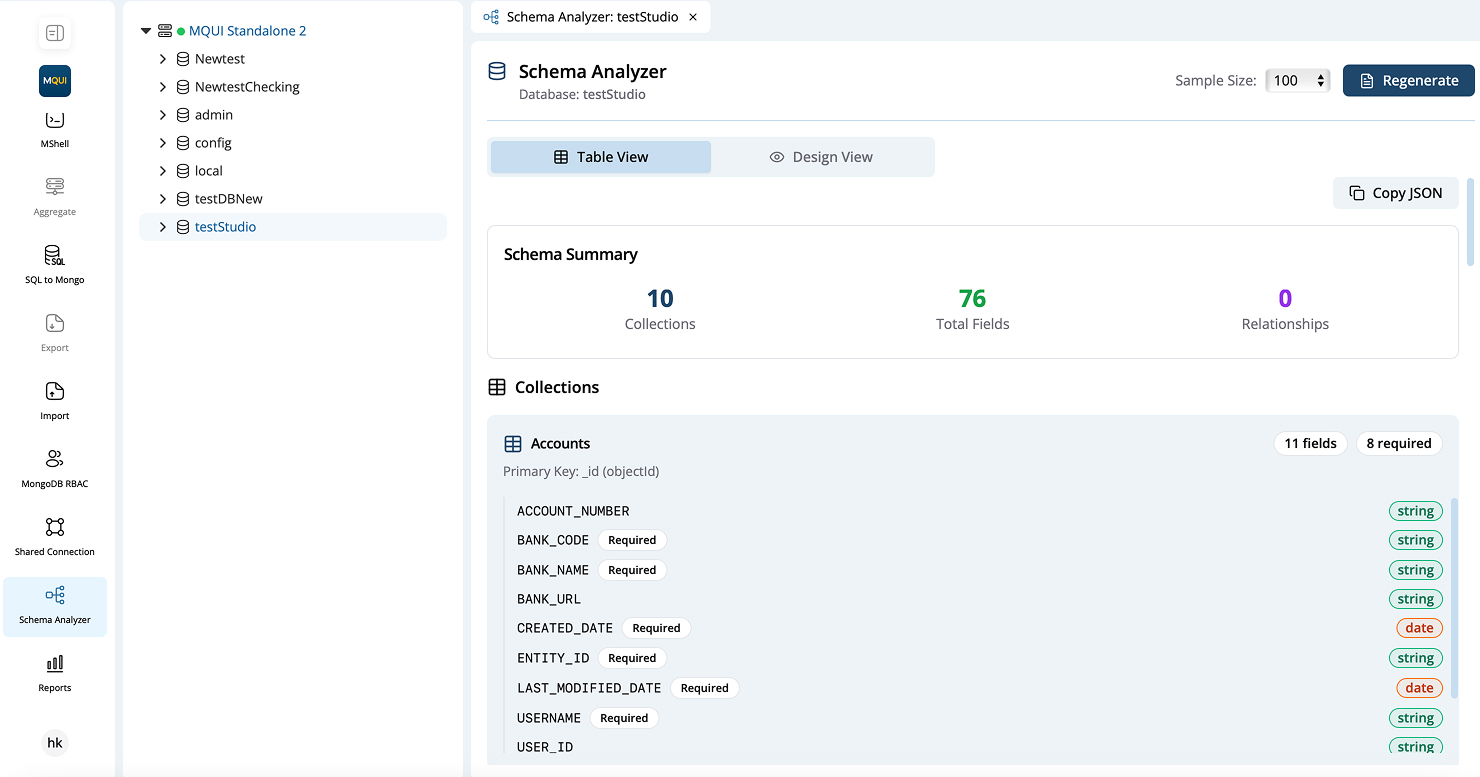
Launching the Analyzer
- In the sidebar tree, expand a connection and click the target database.
- Press Schema Analyzer in the left navigation (microscope 🔬 icon).
- A new tab—titled "Schema Analyzer: <database>"—opens inside the workspace.
Header Controls
| Control | Purpose |
|---|---|
| Sample Size (drop-down) | Number of documents per collection to inspect (e.g., 100). Larger samples yield more accurate stats. |
| Regenerate (button) | Rerun analysis with the currently selected sample size. |
| Table View / Design View toggle | Switch between a spreadsheet-like list and a visual diagram. |
Schema Summary
A live counter just beneath the view toggle displays:
- Collections – total collections analysed.
- Fields – unique fields across all collections.
- Relations – detected
$lookup-style references (zero in the screenshot).