Mshell
The Mshell section in MongoQUI provides a powerful and user-friendly interface to run MongoDB shell queries directly from the GUI. Whether you are dealing with simple read operations, advanced aggregations, or native MongoDB commands, Mshell offers everything you need for interactive querying and data manipulation.
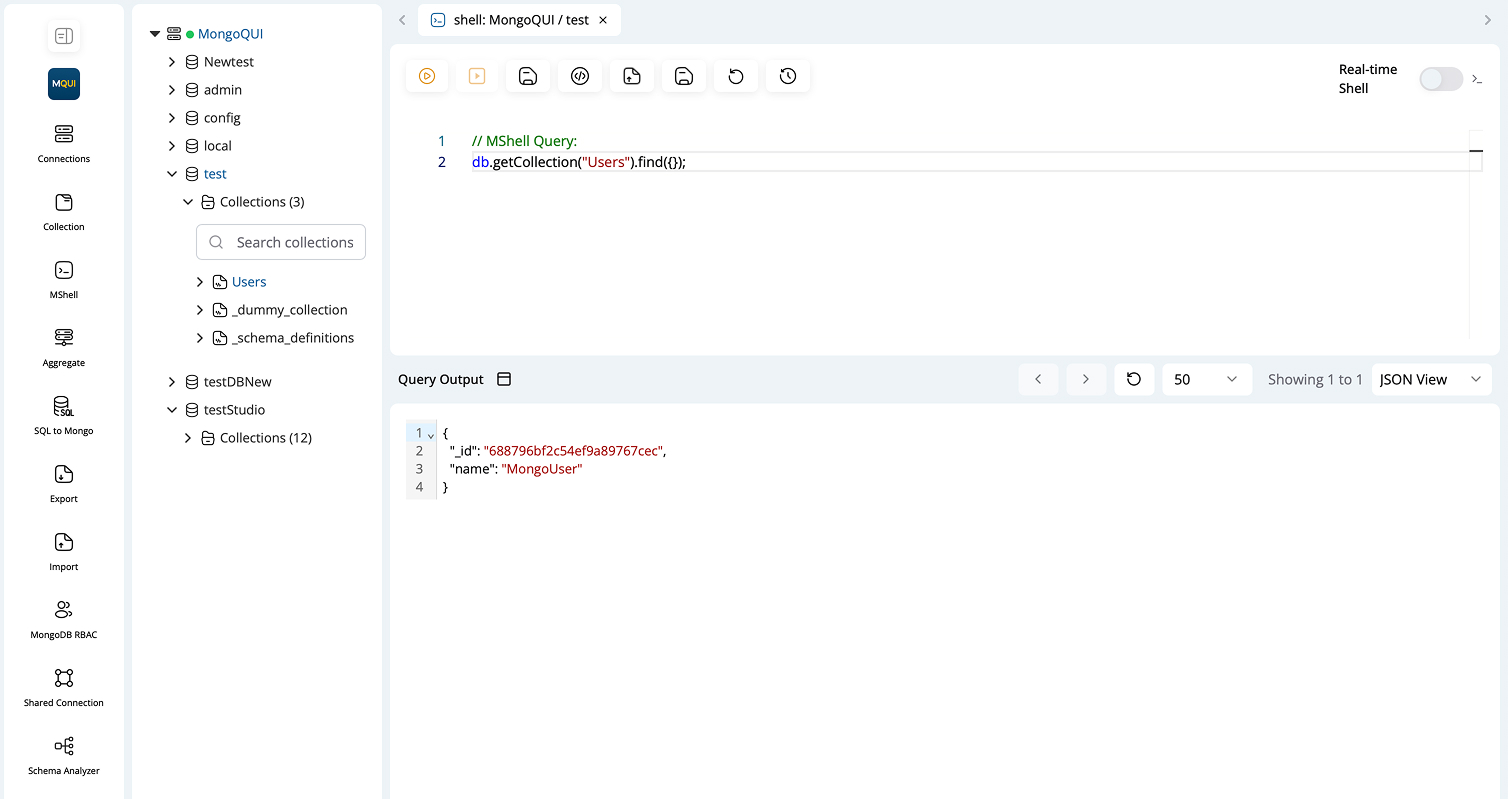
Overview
Mshell is designed to offer a seamless experience for executing MongoDB queries and commands, replacing the need for the standalone mongosh terminal. All query outputs can be visualized in multiple formats and managed efficiently for repeated use.
Key Features
-
a. Query Execution
You can execute various types of MongoDB queries directly in the Mshell editor:
Simple Queries:
Run basic find, insert, update, delete operations.
db.getCollection("AppointmentSchema").find({})Aggregation Queries:
Write and execute complex MongoDB aggregation pipelines.
db.getCollection("sales").aggregate([
  { $match: { status: "closed" } },
  { $group: { _id: "$region", total: { $sum: "$amount" } } }
])
Native DB Commands:
Run native MongoDB database commands for administrative tasks.
-
b. Query Output Formats
Choose how you want to view your results:
- Tree View : Hierarchical representation, great for nested documents.
- JSON View : Classic raw JSON output, ideal for copy-paste and scripting.
- Table View : Tabular visualization for flat document sets, best for overviews and quick exports.
-
c. Shell Actions Toolbar
The Mshell interface includes several key actions:
| Button Icon | Functionality |
|---|---|
| ▶️ (Run) | Execute the current query or command. |
| 📄 (Run File) | Run queries/scripts from a saved file. |
| ⏳ (Run Script) | Execute larger or multi-line scripts. |
| ⚙️ (Run Command) | Execute MongoDB administrative or shell commands. |
| 🔄 (Refresh) | Reload the shell environment. |
| 💾 (Save) | Save your current query/script to local/cloud. |
| 🕓 (History) | View and load previous queries. |
Saving & Loading Queries
- Save Query : Click the save button to store your query either in the local storage or in the cloud. This makes it easy to reuse commonly run queries or share them with your team.
- Load Query : Load previously saved queries from the cloud or your local system for quick execution.
Query History
All previously run queries are stored in a history panel. You can:
- View query history.
- Re-run any past query with a single click.
- Easily restore complex scripts without retyping.