Import Configuration
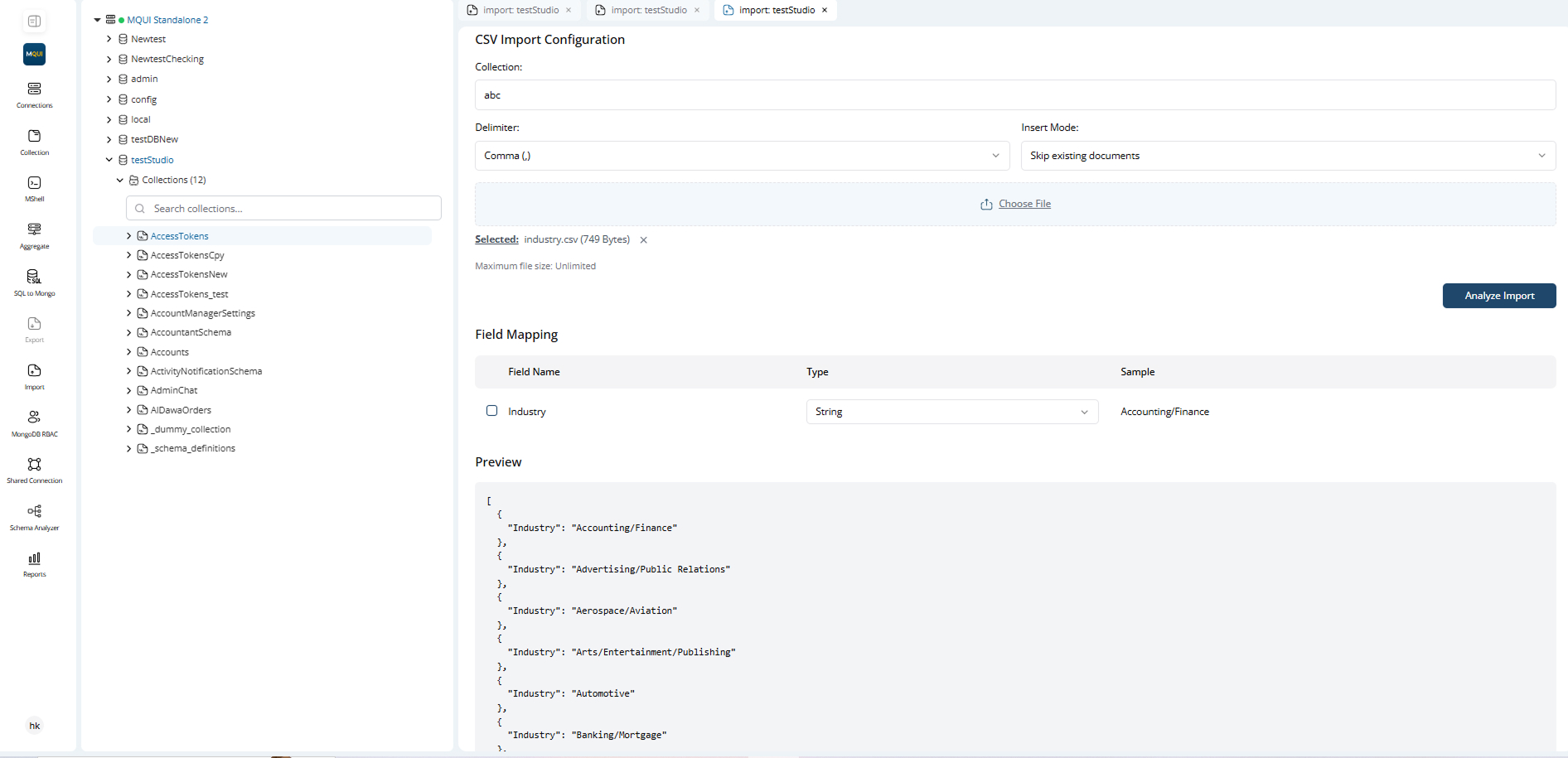
Field Mapping
- MongoQUI auto-detects field names and suggested types from the import file.
- You can select/deselect fields to import.
- You can change the data type for each field (Boolean, Date, Integer, String, etc.).
- A sample value for each field is shown for quick validation.
Preview Section
- After analyzing, a preview of the import data is shown.
- Confirms your mapping and helps catch errors before importing.
Import Execution & Progress
Task Progress Dialog
- Shows real-time progress of the import operation (number of rows/documents processed).
- Notifications for success or errors (e.g., duplicate keys, invalid data).
Completion
- On completion, imported data is immediately available in your collection.
- Success message shown in the progress dialog.
- Any errors or skipped records are displayed.
Example Workflow
- Select import type (CSV, Excel, JSON).
- Enter collection name, delimiter/type, insert mode, and select your file.
- Click "Analyze Import" to map fields and preview data.
- Adjust mapping/types as needed.
- Click "Import" and watch progress in the task dialog.
- Confirm imported data in your collection.